A Mac cleaner for developers
Sweep up after your builds.
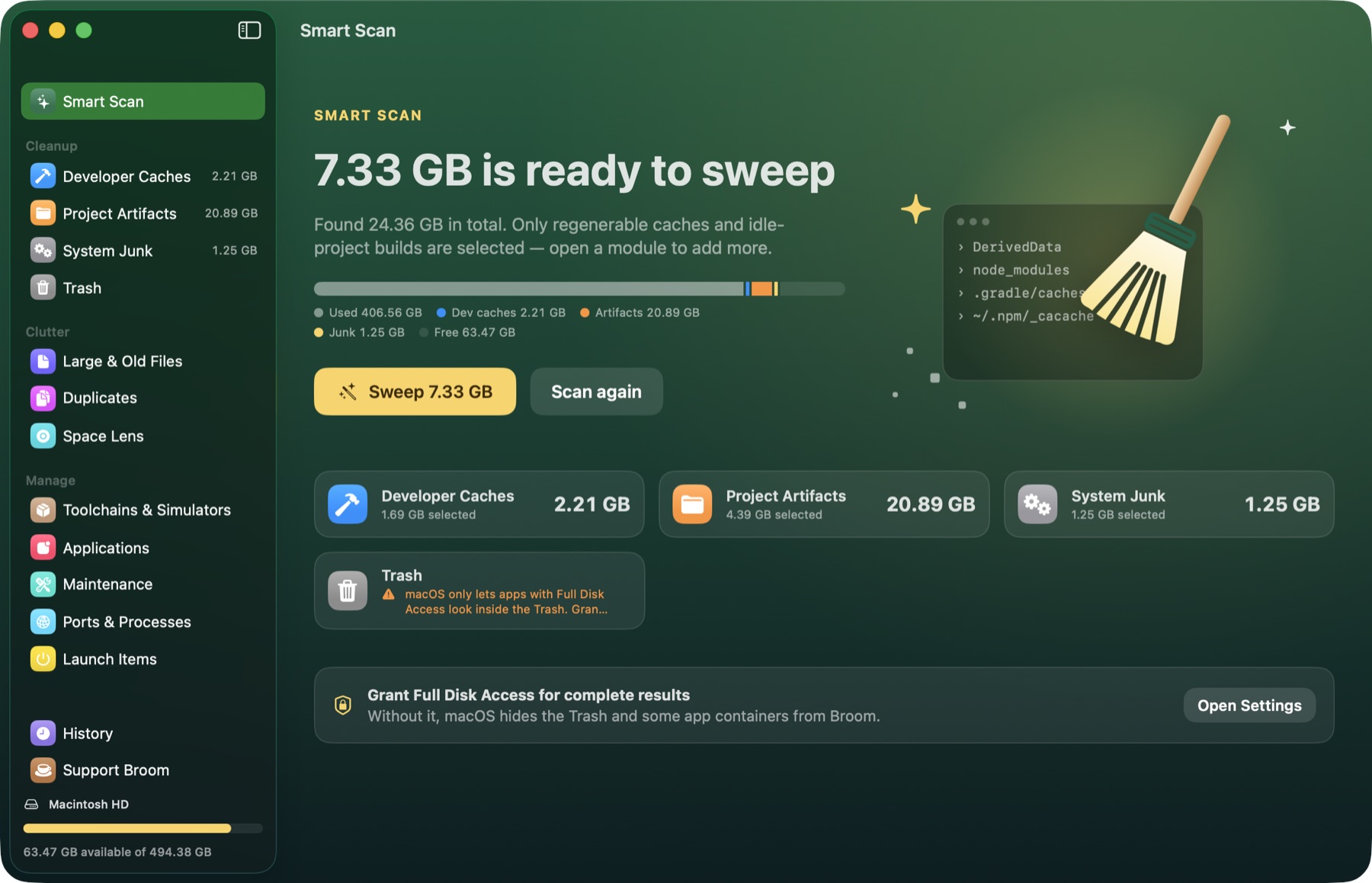
Xcode, Gradle, npm and the rest leave gigabytes behind on every Mac. Broom finds them, tells you which ones rebuild themselves, and clears them in one click.
- ~/Library/Developer/Xcode/DerivedData4.21 GB
- ~/Projects/*/node_modules (idle 30+ days)3.12 GB
- ~/.gradle/caches2.87 GB
- ~/Library/Developer/CoreSimulator/Caches1.46 GB
- ~/.npm/_cacache812 MB
- ~/Library/Caches/Homebrew356 MB
Example sweep. Your numbers will differ.
Developer caches
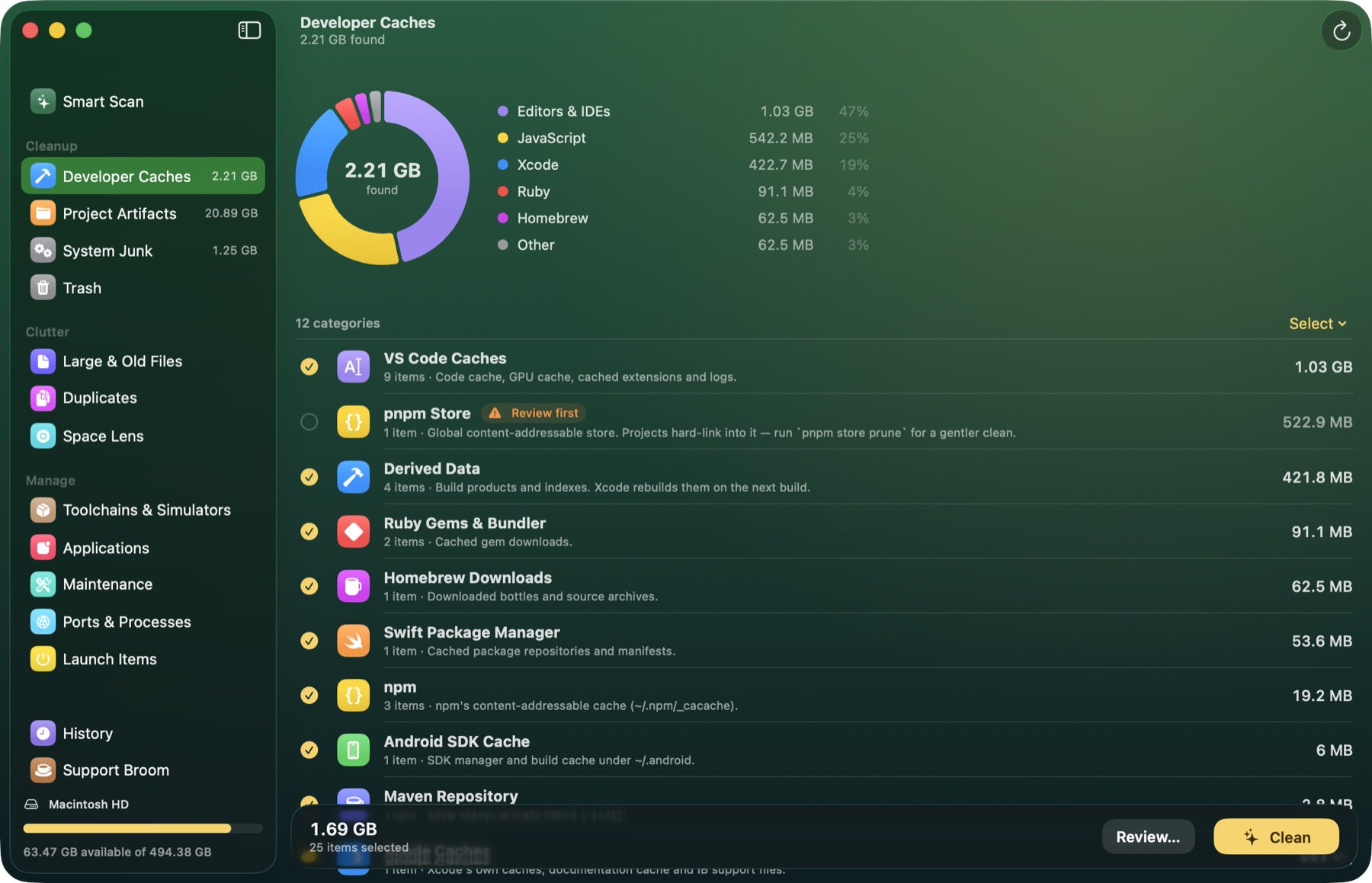
It knows where your tools hide their mess.
Broom ships with more than 40 cleanup rules for the toolchains developers actually use. Each rule explains what the folder is, whether it comes back on its own, and how big it is right now.
Anything shared or slow to rebuild, like the pnpm store, is marked Review first and left unticked.
Projects and system junk
Old projects keep their build folders forever.
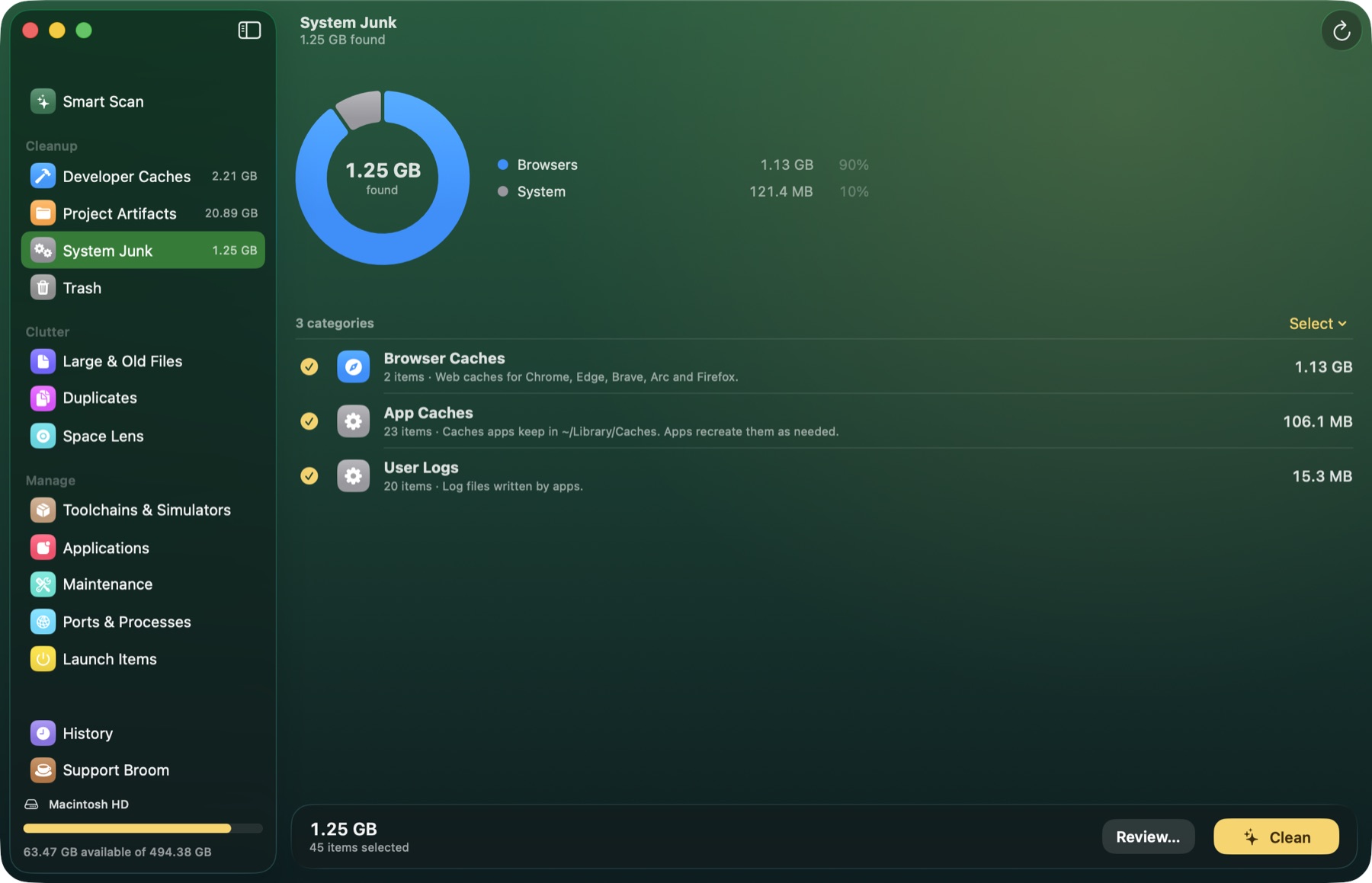
Broom walks your project folders and finds build output in the ones you haven't touched in a while. It asks git first, so only folders your .gitignore already ignores are offered. Everything it removes goes to the Trash.
System Junk covers the rest of the Mac: browser caches, app caches, logs, crash reports and old installers.
Everything in one window
Thirteen tools, grouped the way you'd look for them.
Cleanup
Clutter
Manage
Maintenance
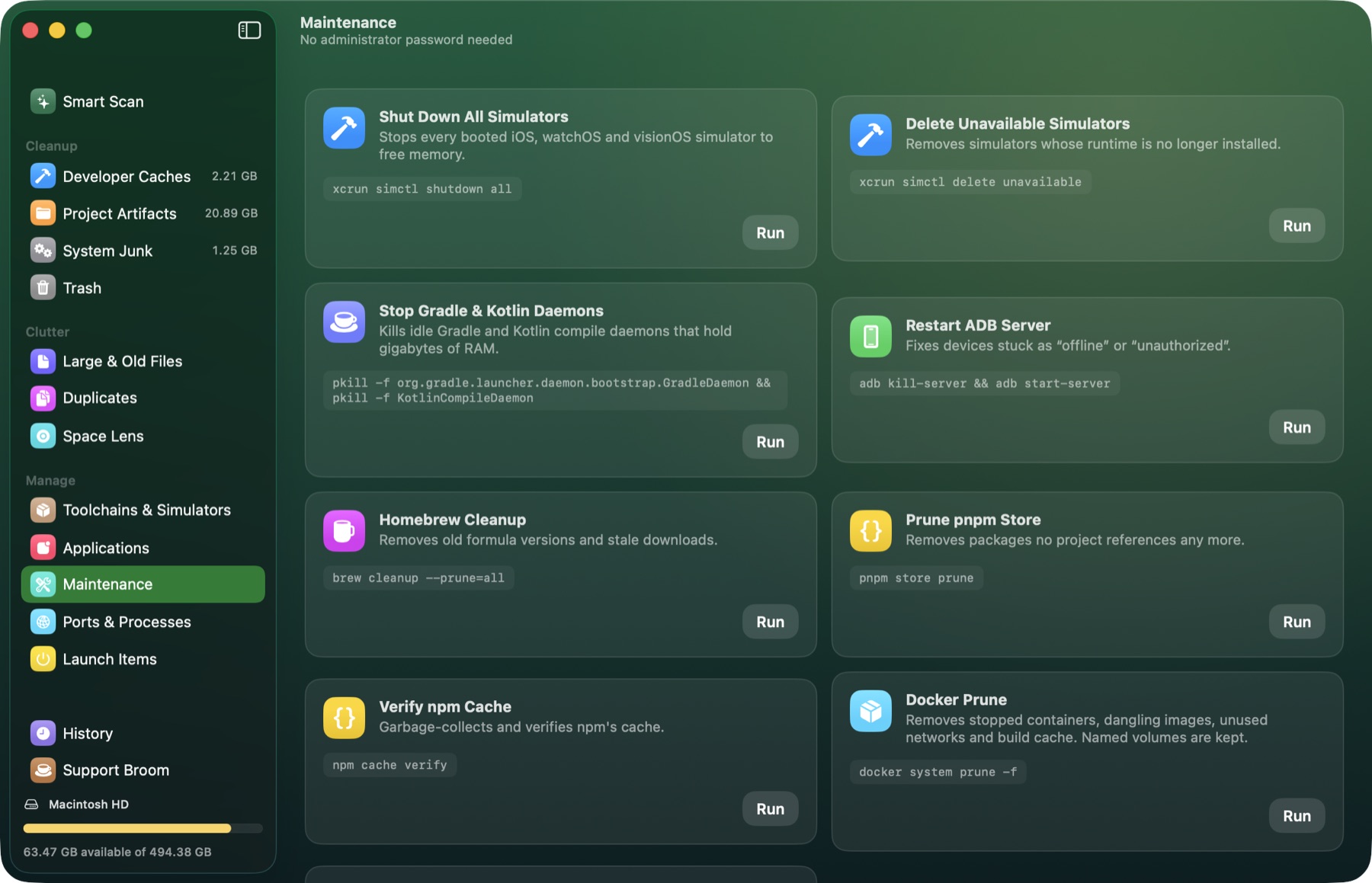
The fixes you usually look up, one button each.
Broom shows the exact command it will run before you run it. Commands run directly, never through a shell, and nothing needs your administrator password.
Safety
It deletes the way a careful colleague would.
Every item says where it goes before you click Clean. The rule depends on whether the file can come back on its own.
Caches that rebuild themselves
DerivedData, package caches and logs are removed for good, because your tools recreate them on the next build.
Your files, projects and apps
Build folders, large files, duplicates and uninstalled apps go to the Trash, so you can put anything back.
Folders that matter
Your home folder and top-level folders like Documents, Desktop and Library are refused outright. So are SSH keys, cloud credentials, keychains, iCloud Drive, Mail and Photos. Symlinks are never followed.
A record of every sweep
History keeps what was cleaned, how much space came back, and anything that failed and why.
Menu bar
Your Mac's health, one click from the menu bar.
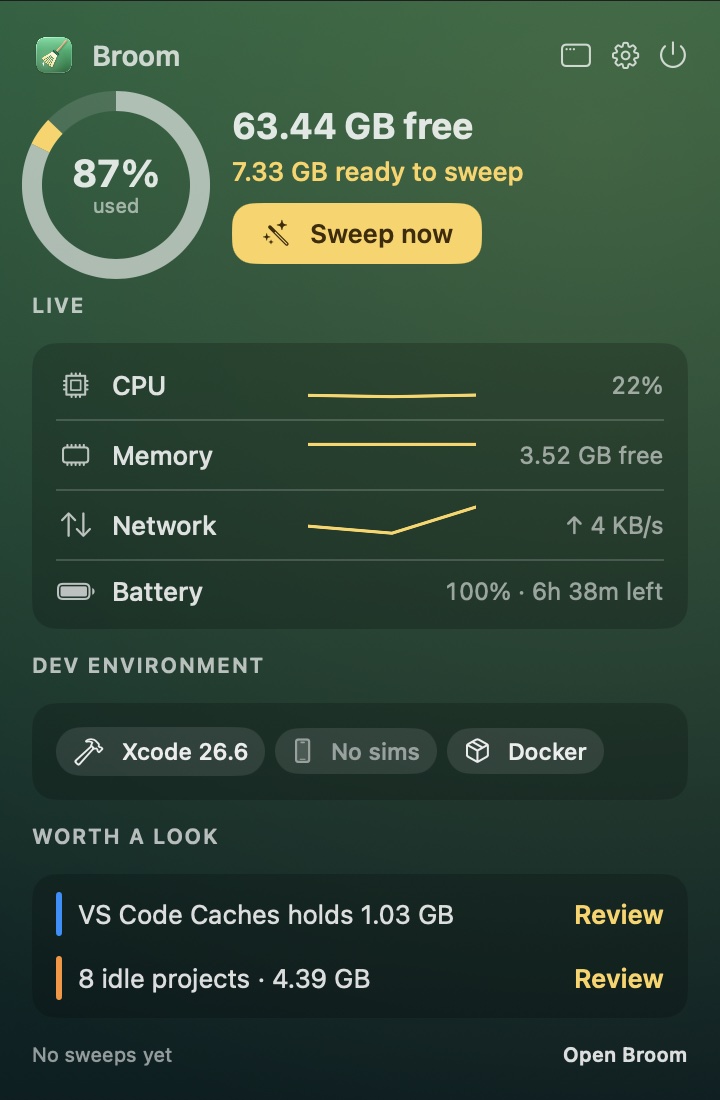
The menu bar panel shows free space and what is ready to sweep, next to live system stats and your dev environment. When something grows past a useful size, it suggests a look.
- Live stats
- CPU, memory, network and battery.
- Dev environment
- Xcode version, booted simulators, Docker, Gradle daemons.
- Suggestions
- Caches and idle projects worth reviewing.
- Sweep now
- Starts a Smart Scan, or goes straight to the sweep when results are ready.
Languages
Speaks seven languages.
Broom is free. Coffee keeps it that way.
Broom is made by one developer. If it gave you back a few gigabytes, a coffee helps pay for the next update.
Opens PayPal in your browser. You choose the amount there.

Get Broom
Version 1.0 is on its way. The download will be a signed and notarized disk image for macOS 15 or later.
Coming soon